First, What Is Shift + F3 Used For?
In this context, we are talking about Shift F3 not working in programs like Word, PowerPoint. In these programs this shortcut is usually used to change the text case from uppercase to lowercase, lowercase to uppercase, etc. basically cycling between lowercase, uppercase, and title case.
Why Does Shift+F3 Open a Dialog in Excel?
Excel assigns Shift+F3 to Insert Function. For cell text, use UPPER, LOWER, or PROPER in another cell, for example =LOWER(A1). Changing Fn Lock will not turn Excel’s shortcut into Word’s case converter.
For uppercase conversion in other supported apps, see our all caps and lowercase shortcut guide for Windows, including the AnyCase installation requirement.
Six Options When Shift+F3 Is Not Working
- You Are Using a Lenovo, Dell, Acer, or Other Laptops Which Override the Settings
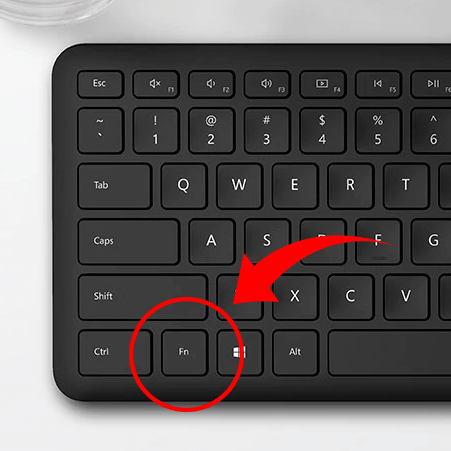
- Shift + F3 Not Working When the “Fn” Key Is Locked
- Add “Fn” as Part of the Shortcut
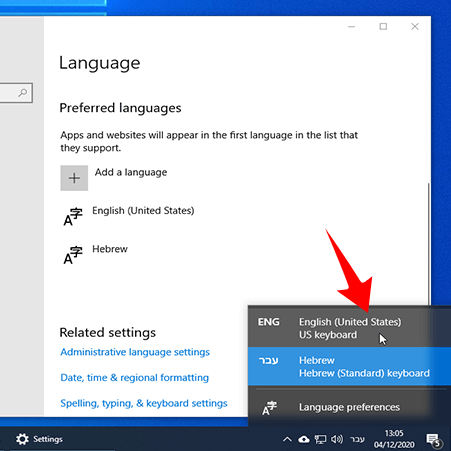
- You’re Using Multiple Languages on Your Computer
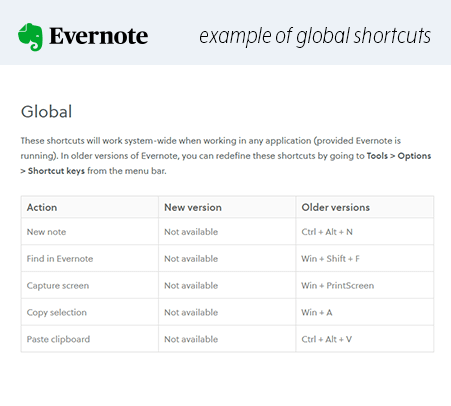
- Shift + F3 Shortcut Was “Hijacked” by Another Program
- Convert Anywhere: Use a Dedicated App for Case Conversions
You can also use a multi program converter, that can convert directly in case in multiple programs.